Scaleedge - Instagram Post: A Design Template for Visual Impact
Scrolling through Instagram feels like walking through a crowded marketplace where every stall is shouting for attention. Your content needs a voice that cuts through the noise, not just with what it says, but with how it looks. The Scaleedge - Instagram Post template is built for that exact challenge. It’s a multi-page design system that gives your feed a cohesive, professional rhythm, turning casual scrollers into engaged followers. This isn't just another pretty graphic; it's a foundational tool for anyone serious about their visual communication on social media.
Beyond a Single Image: The Power of a Multi-Page Narrative
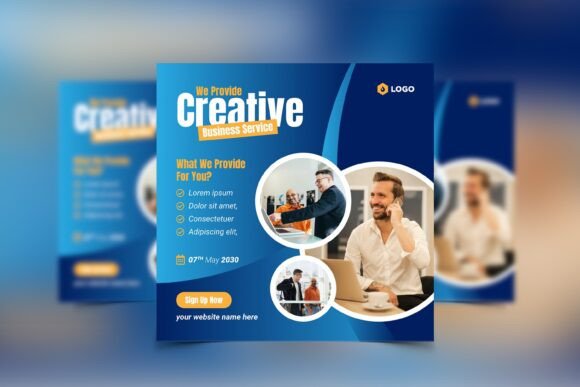
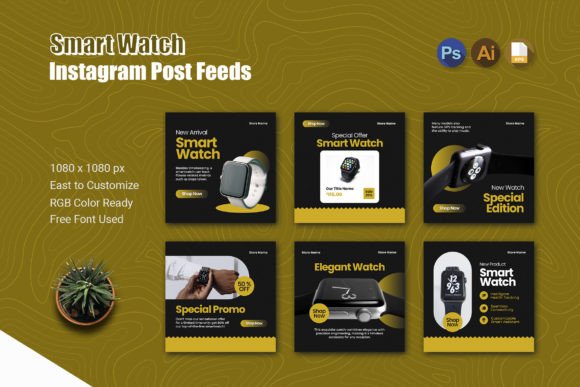
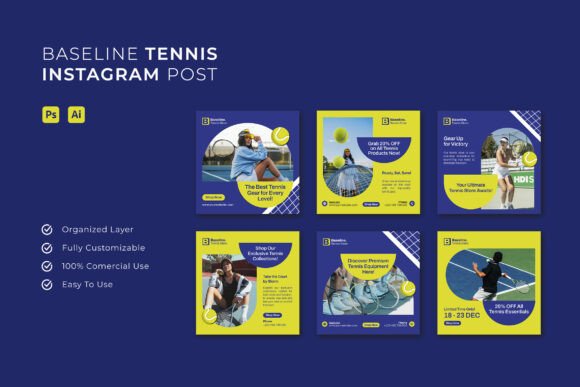
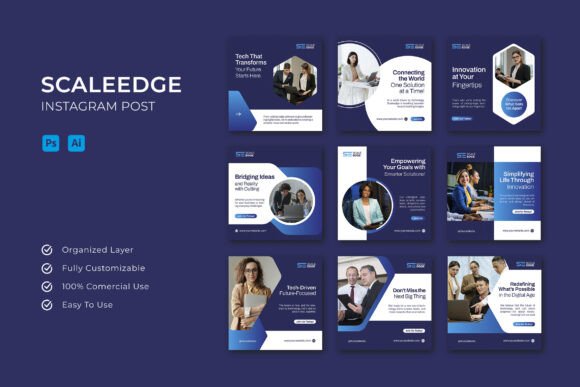
Most Instagram post templates offer a single frame. The Scaleedge package provides six. This is a game-changer for storytelling. Instead of cramming information onto one 1080x1080 pixel canvas, you can unfold a message across multiple slides. Think of it as a mini-presentation directly in your audience's feed. A small business owner could use the first slide for a bold question, the next three to break down the benefits of a new service, the fifth for a customer testimonial, and the final slide for a clear call-to-action. This structure respects the viewer's time and guides them through a logical flow, significantly boosting the chance they'll swipe through to the end and engage.
The square format is strategically chosen for Instagram's grid. It ensures your posts look balanced and intentional whether viewed in the main feed, on your profile grid, or in a carousel. The consistent 1080x1080 pixel size means your graphics will be crisp and clear on all devices, a non-negotiable detail for maintaining a professional brand identity.
Customization: Your Brand's DNA in Every Detail
A template's true value lies in its adaptability. The Scaleedge - Instagram Post files are delivered in AI, PSD, and EPS formats, which is a thoughtful inclusion that covers the major design software. This means whether you're a seasoned Adobe Illustrator user, comfortable in Photoshop, or working with other vector-based programs, you can dive right in without friction.
The "fully editable" promise is where you inject your brand's personality. Swap out the placeholder images with your own product shots, team photos, or branded graphics. Change the color palette from the default RGB scheme to your exact brand colors—this single change transforms a generic template into a piece of your unique visual language. Edit the text to reflect your voice, and adjust the layout elements to suit your specific message. The inclusion of free fonts removes a common barrier, letting you achieve a polished look without additional licensing costs. This level of control is what separates using a template from being used by one.
Practical Applications Across the Creative Spectrum
The versatility of this asset extends far beyond standard social media posts. For the entrepreneur, it's a rapid deployment system for marketing campaigns. Announce a flash sale, explain a complex process with simple graphics, or introduce your team members in a structured, engaging way.
For content creators and bloggers, it solves the problem of repurposing content. Turn a key section of your latest blog post into an informative carousel. Break down a tutorial into step-by-step slides. Use it to create compelling previews for your YouTube videos or podcast episodes. The template becomes a bridge between your long-form content and the snackable format Instagram demands.
Even for those in more traditional fields, the applications are concrete. A local bakery can showcase its weekly specials. A real estate agent can feature a property's key highlights. A freelance graphic designer can use it to present a portfolio piece or a case study. The template acts as a professional container for your information, elevating the perceived value of your content before a single word is read.
Building Recognition Through Consistent Visuals
One of the most significant challenges in digital marketing is consistency. Posting sporadically with mismatched visuals confuses your audience and dilutes your brand message. The Scaleedge template package encourages a systematic approach. By using the same design system across multiple posts, you create a recognizable pattern. Your audience will start to associate that specific style—those layouts, that typographic hierarchy, that color scheme—with your brand. This is how visual memory is built. It's not about making every post identical, but about creating a family of designs that feel related. This consistency builds trust and professionalism, making your profile look curated and intentional rather than haphazard.
Think about pairing the template's inherent structure with thoughtful font choices. While the free font is included, understanding the basics of font pairing can take your designs further. A common and effective strategy is to combine a clean, legible sans serif font for body text with a more distinctive display font or serif font for headlines. The template's layout will naturally guide this pairing, helping you maintain readability while adding visual interest.
Making Informed Design Choices
Before you start customizing, take a moment to review all six pages of the template. Look at the flow. Does it logically support the story you want to tell? Sometimes, you might only need three of the pages, and that's perfectly fine. The goal is to use the structure to enhance your message, not to force your content into a rigid mold.
When selecting your images, ensure they are high-resolution and align with the tone of your message. A mismatch between a serious, professional message and overly casual or poorly lit photos can undermine your credibility. Similarly, choose your color edits wisely. Stick to your brand's primary and secondary palette to reinforce recognition. If you're exploring new colors, use this template as a testing ground before committing to a full rebrand.
Finally, always remember the context. An Instagram post is viewed quickly, often on a small screen. Prioritize clarity. Ensure your text is large enough to read without squinting, and that there is enough contrast between the text and the background. The template's design should already account for this, but it's your responsibility to maintain those principles when you add your own content.
The Scaleedge - Instagram Post template is more than a set of files; it's a workflow solution. It addresses the real-world pressure of maintaining an active, visually appealing, and effective social media presence. By providing a structured yet flexible framework, it allows you to focus on your message and your audience, secure in the knowledge that the presentation is working just as hard as you are. In the relentless scroll of the Instagram feed, that combination of clear information and professional design is what makes people stop, look, and listen.