Deopera: Crafting Visual Stories with a Polished Google Slides Template
Imagine you've spent hours refining your pitch, perfecting your business strategy, or outlining a creative project. You open a blank presentation file, ready to bring it to life, only to be met with the daunting task of building every slide from scratch. The alignment feels off, the colors clash, and the overall look lacks the professional cohesion your ideas deserve. This is where a thoughtfully designed template shifts from a nice-to-have to a genuine productivity tool. Deopera - Google Slide Template is built for this exact moment, offering a foundation that prioritizes visual harmony and practical functionality.
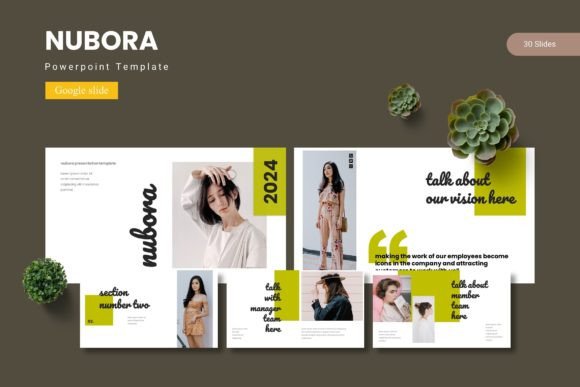
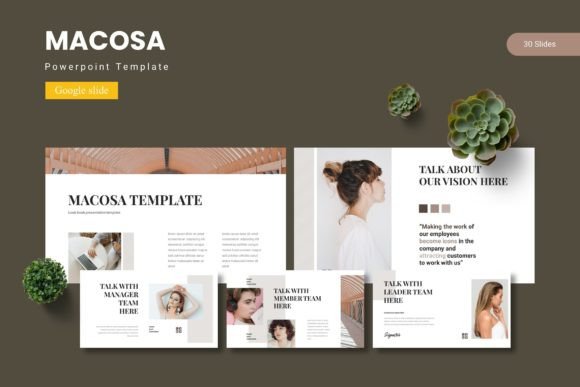
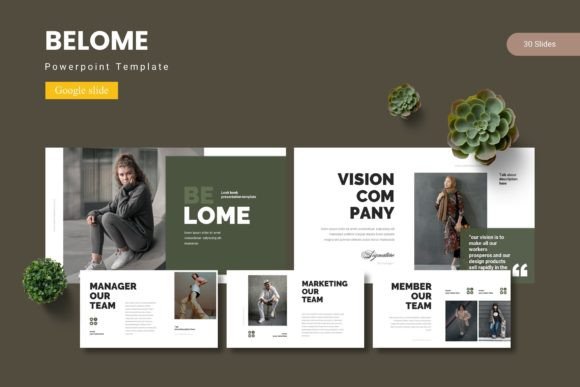
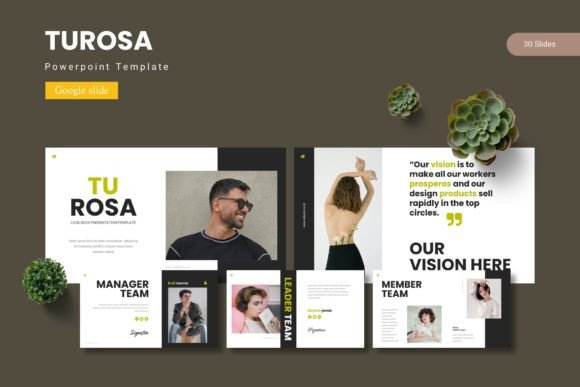
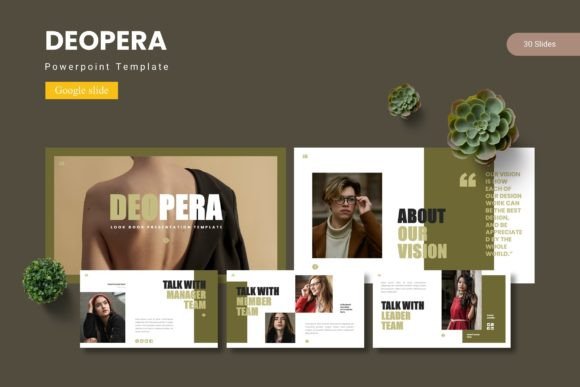
At its core, Deopera is a comprehensive presentation kit. It includes over 150 total slides, organized across five distinct color schemes. Each of the five premade templates contains 30 meticulously crafted slides, providing a robust starting point for a wide array of projects. The value here isn't just in the quantity, but in the intelligent structure. Every element is designed on master slides, which means you can make a global change—like updating your brand's primary color or swapping a font family—and see it reflected consistently throughout your entire deck. This master slide approach is a cornerstone of efficient design, ensuring your presentation maintains a unified look without requiring tedious, slide-by-slide adjustments.
More Than Just Slides: A Visual Toolkit for Brand Cohesion
Think of Deopera less as a simple slide pack and more as a visual communication system. The handcrafted infographics are a standout feature, transforming complex data into digestible, engaging graphics. Instead of presenting a wall of bullet points about quarterly growth, you can use a clean, resizable chart that tells the story at a glance. These aren't generic clipart images; they're pixel-perfect illustrations that maintain their clarity whether displayed on a laptop screen or projected onto a large wall.
For anyone building a brand—be it a solopreneur, a marketing team, or a content creator—consistency is everything. The five integrated color variations allow you to select a palette that aligns with your existing brand identity or inspires a new one. This makes Deopera exceptionally useful for creating:
- Client Pitches and Proposals: Present your services with the same visual polish you promise to deliver.
- Internal Team Presentations: Keep company updates and strategic meetings professional and on-brand.
- Webinar and Workshop Slides: Create educational materials that are clear, attractive, and easy for your audience to follow.
- Portfolio Showcases: The dedicated gallery and portfolio slides provide a clean framework for displaying your work, whether you're a photographer, designer, or architect.
The drag-and-drop picture placeholder functionality streamlines the process of adding your own imagery. You don't need to be a Google Slides expert to have your photos fit perfectly within the designed frames. This practical feature saves significant time and reduces the friction that often comes with customizing templates, allowing you to focus on your message rather than technical formatting.
Practical Applications Across Your Professional and Creative Projects
The flexibility of a well-structured template like Deopera extends far beyond the boardroom. Consider the entrepreneur developing a new product line. The template's clean layouts can be adapted to storyboard packaging concepts, visualize brand touchpoints, or create a mood board for a photoshoot. A blogger or content creator can use it to plan an editorial calendar visually, design consistent graphics for a social media series, or develop a media kit that impresses potential sponsors.
For those involved in marketing, the template becomes a dynamic asset for campaign planning. You can map out a multi-channel campaign visually, showing how messaging and visuals will adapt across platforms like Instagram, your website, and email newsletters. The section break slides are particularly useful here, acting as clear dividers between different phases of a project or different aspects of a campaign, helping your audience (or your team) navigate the information with ease.
Even for personal projects, the professional framework adds a layer of polish. Imagine planning a community event, a wedding, or a detailed travel itinerary. Using a structured template elevates these plans from simple documents to shareable, visually engaging presentations that get others excited about your vision.
Getting the Most Out of Your Template Investment
To truly leverage a tool like Deopera, a bit of strategic thinking goes a long way. Start by reviewing all 30 slides in your chosen color variant. Don't feel compelled to use every single one. Instead, identify the layouts that best serve the flow of your specific content. Maybe you need more data visualization slides and fewer text-heavy ones. The modular nature of the template allows you to mix, match, and duplicate slides as needed.
Pay close attention to the typography. While the template includes suggested fonts, the readme file is your friend here. It will list the fonts used, allowing you to maintain consistency if you decide to install them. However, one of the strengths of a master slide-based design is the ease of font substitution. If your brand uses a specific sans serif font for headings and a complementary serif for body text, you can update the master slides once and watch your entire presentation adopt your brand's typographic voice. This is where the concept of font pairing becomes practical—ensuring your chosen typefaces work together for optimal readability and aesthetic appeal.
Remember that the graphics are fully resizable and editable. This means you can adapt an infographic to highlight different data points, change the color of an icon to match a new section, or resize an illustration to create visual emphasis. Treat these elements as building blocks, not as fixed images.
Finally, consider the licensing. For any commercial use—whether you're creating a presentation for a client, using slides in a paid webinar, or incorporating graphics into a product you sell—it's essential to verify that the template's license permits such use. Reputable template marketplaces are clear about this, and checking this upfront ensures your professional work is built on a solid legal foundation.
In the end, a great presentation template is a silent partner in your communication strategy. It handles the heavy lifting of design and layout, freeing you to concentrate on what you do best: developing compelling ideas, crafting persuasive narratives, and connecting with your audience. Deopera - Google Slide Template provides that reliable, adaptable framework, turning the blank slide into a canvas of possibility rather than a source of stress.